js特效合集 最受欢迎的15个网页交互效果实现方法

JS特效合集:受欢迎的15个网页交互效果实现方法
大家好呀!作为一个整天和代码打交道的小编,今天想和大家聊聊那些让网页"活"起来的JS特效。说实话,每次看到网页上那些酷炫的交互效果,我都会忍不住想扒开代码看看是怎么实现的。今天就让我来分享15个受欢迎的网页交互效果实现方法,保证让你看完后也能轻松玩转网页动效!
为什么我们需要JS特效?
首先得说说,为什么我们要在网页上加这些特效呢?其实道理很简单 - 没人喜欢看死气沉沉的网页啊!适当的交互效果能让用户感觉网页在"回应"他们的操作,体验感直接拉满。而且,好的交互设计还能引导用户完成特定操作,比如注册、购买什么的。
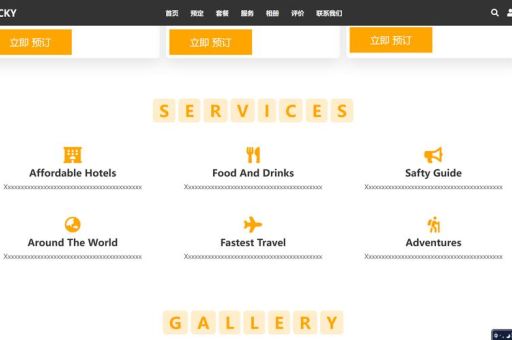
不过要注意的是,特效不是越多越好。我见过一些网页特效多到让人眼花缭乱,反而影响了用户体验。所以咱们得掌握一个度,就像做菜放盐一样,适量才是王道。
基础但实用的特效
1. 鼠标悬停效果
这个可以说是基础但也实用的特效了。当用户把鼠标移到某个元素上时,元素会发生变化,比如变色、放大或者显示隐藏内容。
javascript
document.getElementById("myButton").onmouseover = function() {
this.style.backgroundColor = "ff0000";
document.getElementById("myButton").onmouseout = function() {
this.style.backgroundColor = "";
2. 点击特效
点击特效能让用户明确知道他们的操作被接收了。比如按钮点击时的下沉效果:
javascript
document.getElementById("myButton").onclick = function() {
this.style.transform = "scale(0.95)";
setTimeout(() => {
this.style.transform = "scale(1)";
}, 150);
3. 滚动动画
随着用户滚动页面,元素以动画形式出现,这种效果特别适合长页面:
javascript
window.addEventListener('scroll', function() {
const element = document.querySelector('.animate-on-scroll');
const position = element.getBoundingClientRect().top;
const screenPosition = window.innerHeight / 1.3;
if(position < screenPosition) {
element.classList.add('animated');
进阶酷炫特效
4. 视差滚动
这个效果让背景和前景以不同速度滚动,创造出3D般的深度感:
javascript
window.addEventListener('scroll', function() {
const scrolled = window.pageYOffset;
const parallax = document.querySelector('.parallax');
parallax.style.transform = 'translateY(' + (scrolled 0.5) + 'px)';
5. 粒子动画
那些在背景里漂浮的小点点,看起来高级感十足:
javascript
// 这里需要一个canvas元素
const canvas = document.getElementById('particles');
const ctx = canvas.getContext('2d');
canvas.width = window.innerWidth;
canvas.height = window.innerHeight;
const particles = [];
for(let i = 0; i < 100; i++) {
particles.push({
x: Math.random() canvas.width,
y: Math.random() canvas.height,
size: Math.random() 5 + 1,
speedX: Math.random() 3 - 1.5,
speedY: Math.random() 3 - 1.5
function animateParticles() {
ctx.clearRect(0, 0, canvas.width, canvas.height);
// 绘制和更新粒子逻辑
requestAnimationFrame(animateParticles);
animateParticles();
6. 3D卡片翻转
鼠标悬停时卡片3D翻转的效果特别适合产品展示:
css
.flip-card {
perspective: 1000px;
.flip-card-inner {
transition: transform 0.6s;
transform-style: preserve-3d;
.flip-card:hover .flip-card-inner {
transform: rotateY(180deg);
表单交互特效
7. 输入框聚焦效果
让表单输入更有反馈感:
javascript
const inputs = document.querySelectorAll('input');
inputs.forEach(input => {
input.addEventListener('focus', function() {
this.parentNode.classList.add('focused');
input.addEventListener('blur', function() {
this.parentNode.classList.remove('focused');
8. 密码强度检测
实时显示密码强度,提升用户体验:
javascript
document.getElementById('password').addEventListener('input', function() {
const strengthIndicator = document.getElementById('strength');
const password = this.value;
let strength = 0;
// 检测逻辑
strengthIndicator.style.width = strength + '%';
导航菜单特效
9. 粘性导航
滚动页面时导航栏固定在顶部:
javascript
window.addEventListener('scroll', function() {
const nav = document.querySelector('nav');
if(window.pageYOffset > 100) {
nav.classList.add('sticky');
} else {
nav.classList.remove('sticky');
10. 汉堡菜单动画
移动端常见的汉堡菜单点击动画:
javascript
document.querySelector('.hamburger').addEventListener('click', function() {
this.classList.toggle('is-active');
document.querySelector('.mobile-menu').classList.toggle('active');
数据可视化特效
11. 数字滚动动画
数字从0增长到目标值的动画:
javascript
function animateValue(id, start, end, duration) {
const obj = document.getElementById(id);
let startTimestamp = null;
const step = (timestamp) => {
if (!startTimestamp) startTimestamp = timestamp;
const progress = Math.min((timestamp - startTimestamp) / duration, 1);
obj.innerHTML = Math.floor(progress (end - start) + start);
if (progress < 1) {
window.requestAnimationFrame(step);
window.requestAnimationFrame(step);
animateValue("counter", 0, 1000, 2000);
12. 进度条动画
加载或完成度的可视化:
javascript
function animateProgressBar(percent) {
const bar = document.getElementById('progress-bar');
let width = 0;
const id = setInterval(frame, 10);
function frame() {
if (width >= percent) {
clearInterval(id);
} else {
width++;
bar.style.width = width + '%';
页面过渡特效
13. 页面加载动画
页面加载时的过渡效果:
javascript
window.addEventListener('load', function() {
const loader = document.querySelector('.loader');
setTimeout(() => {
loader.style.opacity = '0';
setTimeout(() => {
loader.style.display = 'none';
}, 500);
}, 1000);
14. 平滑滚动
点击锚链接时的平滑滚动效果:
javascript
document.querySelectorAll('a[href^=""]').forEach(anchor => {
anchor.addEventListener('click', function (e) {
e.preventDefault();
document.querySelector(this.getAttribute('href')).scrollIntoView({
behavior: 'smooth'
受欢迎的15个JS特效一览表
为了让大家更直观地了解这些特效,我整理了一个简单的
| 特效名称 | 难度 | 适用场景 |
|---|---|---|
| 鼠标悬停效果 | 按钮、链接、卡片 | |
| 点击特效 | 按钮、可点击元素 | |
| 滚动动画 | 长页面、产品展示 | |
| 视差滚动 | 单页网站、产品页 | |
| 粒子动画 | 背景、登录页 |
实现这些特效的小贴士
1. 性能优先:复杂的动画可能会影响页面性能,记得测试在不同设备上的表现。
2. 渐进增强:确保在没有JS的情况下,网页的基本功能仍然可用。
3. 适可而止:不要为了特效而特效,每个交互都应该有明确的目的。
4. 跨浏览器测试:不同浏览器对某些特性的支持可能不同。
5. 移动端适配:很多桌面特效在移动端需要特别处理。
结语
好啦,以上就是我觉得实用的15个网页交互效果实现方法。其实JS特效的世界远不止这些,但这些都是很好的起点。记住,好的交互设计应该是无形的 - 用户甚至不会注意到它们的存在,但离开它们,体验就会大打折扣。
你喜欢哪种网页交互效果呢?有没有哪个网站的交互设计特别打动你?欢迎在评论区分享你的想法,说不定下次我就能写一篇关于你提到的特效的深度解析呢!